Async/Await in C# — The Mistakes That Cause Deadlocks and How to Avoid Them
async and await are among the most-used keywords in modern C#, and among the most misunderstood. They make asynchronous code read like synchronous code, which is wonderful right up until that resemblance lulls you into treating async like a cosmetic detail. It isn't. Get the model wrong and you get the worst kind of bug: code that works perfectly on your machine and deadlocks in production, or an exception that takes down the whole process with no stack trace pointing at the cause.
This is a tour of the handful of async mistakes that account for the overwhelming majority of real-world pain in .NET, why each one happens, and the concrete fix. None of it is exotic. It is the stuff that separates code that merely compiles from code that survives load.
First, the mental model that prevents most bugs
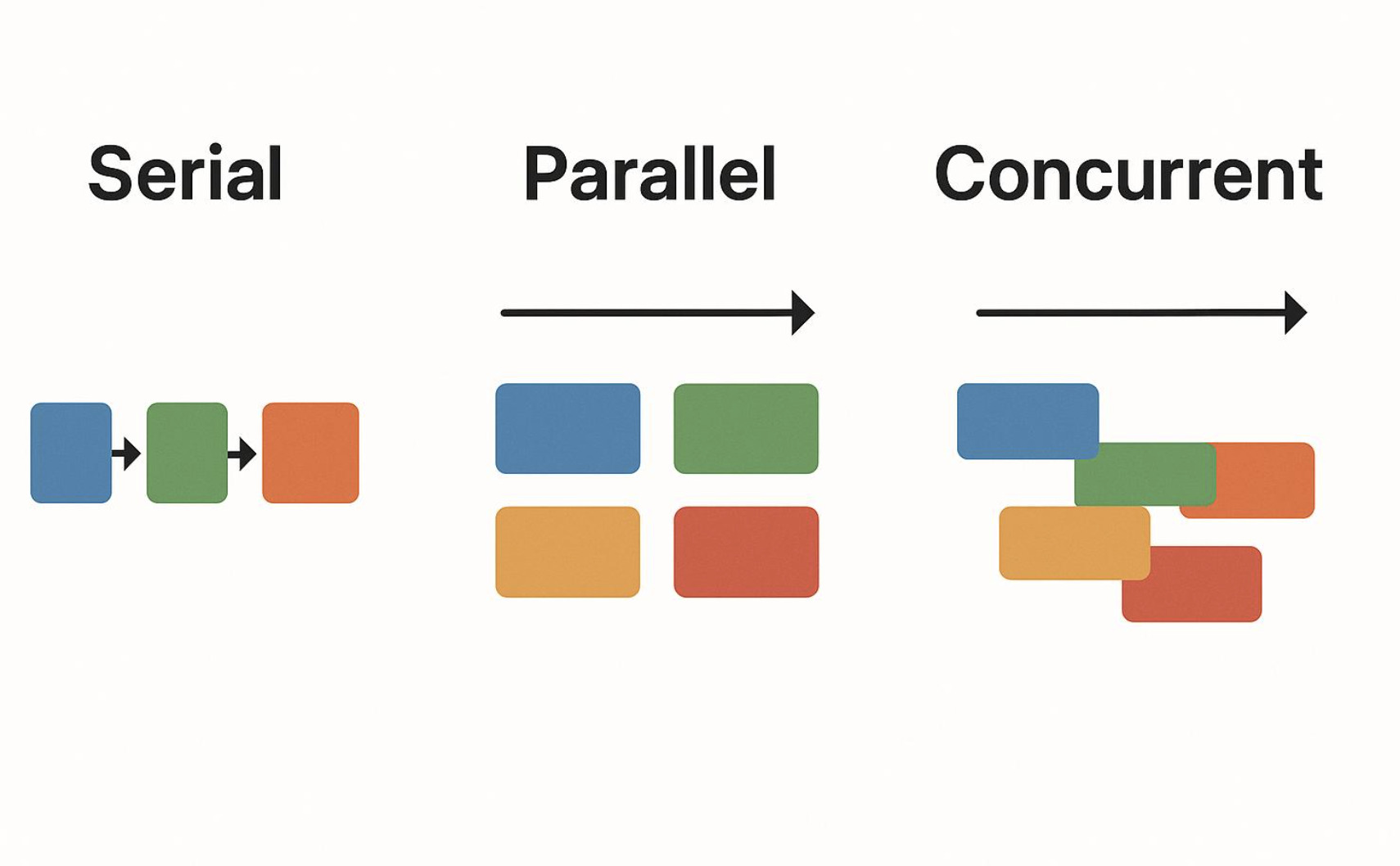
Before the mistakes, fix one idea: async is about not blocking a thread while you wait on something external. When your code awaits a database call or an HTTP request, there is nothing for the CPU to do during the wait — so async hands the thread back to the pool to serve other work, and resumes your method when the result arrives. The payoff is scalability: a server that doesn't tie up a thread per in-flight request can handle far more concurrent users with the same hardware.
That single sentence explains nearly every rule below. Async is not "make it faster" and it is not "run on a background thread." It is "stop wasting a thread sitting idle." Once that clicks, the mistakes become obvious.
Mistake 1: Blocking on async code (.Result, .Wait()) — the classic deadlock
This is the one that ends careers' worth of afternoons. You have an async method but you're in a context that isn't async, so you reach for .Result or .Wait() to "just get the value":
csharp
// DANGER: can deadlock in apps with a synchronization context
public string GetData()
{
    return GetDataAsync().Result; // blocks the current thread
}
Here is why it deadlocks. In environments with a synchronization context — classic ASP.NET, WPF, WinForms — the continuation after an await tries to resume on the original (often UI or request) thread. But you've just blocked that very thread by calling .Result. The awaited work completes, asks to resume on the captured thread, and that thread is frozen waiting for the work to finish. Each side waits for the other, forever.
The fix is not a trick — it's to stop fighting the model. Go async all the way up. If a method calls async code, it should itself be async and be awaited by its caller, all the way to the top (a controller action, a Main, an event handler):
csharp
public async Task<string> GetDataAsync()
{
    return await FetchAsync();
}
A note that saves confusion: ASP.NET Core has no synchronization context, so this particular deadlock won't happen there. But blocking still wastes a thread under load, and your code may run in other contexts later. The rule "don't block on async" is correct everywhere; the deadlock is just the most dramatic punishment for breaking it.
Mistake 2: async void (outside of event handlers)
async void looks harmless and is a landmine. The problem: a void-returning async method produces no Task, so there is nothing to await and nothing to observe. Worse, an unhandled exception inside an async void method does not bubble up to a caller — it is raised on the synchronization context and typically crashes the process.
csharp
// BAD: exceptions here can crash the app and can't be awaited
public async void ProcessData() { await DoWorkAsync(); }

// GOOD: returns a Task the caller can await and whose exceptions surface normally
public async Task ProcessDataAsync() { await DoWorkAsync(); }
The only legitimate use of async void is a top-level event handler whose signature you don't control (a UI button click, for instance) — and even there, wrap the body in try/catch so an exception can't escape. Everywhere else, return Task.
Mistake 3: Fire-and-forget that forgets the failure
Sometimes you genuinely want to kick off work and not wait for it. The danger is that an unawaited Task swallows its exceptions silently — the work fails, and you never find out until something downstream is mysteriously wrong.
csharp
// BAD: if SendEmailAsync throws, the exception is lost
SendEmailAsync(user);
If you must fire and forget, do it deliberately: catch and log inside the called method, or for real background work on a server, use a proper hosted background service or a queue rather than a loose Task. The principle is simple — every Task you start should have someone responsible for observing whether it failed.
Mistake 4: Misusing (and mis-skipping) ConfigureAwait(false)
await captures the current synchronization context by default and resumes on it. In contexts that have one, that capture has a cost, and in library code it's also the ingredient that enables the Mistake 1 deadlock when a caller blocks. ConfigureAwait(false) says "I don't need to resume on the original context — resume anywhere":
csharp
// In LIBRARY code, avoid capturing the context:
var data = await httpClient.GetStringAsync(url).ConfigureAwait(false);
The nuance that trips people up: in ASP.NET Core there is no synchronization context, so ConfigureAwait(false) does nothing there and adding it everywhere is noise. Where it genuinely matters is in reusable library code (which may be consumed by a UI or legacy-ASP.NET app) and in apps that do have a context (WPF, WinForms). Rule of thumb: use ConfigureAwait(false) in libraries; don't bother in ASP.NET Core application code; and in UI apps, omit it precisely when you need to touch the UI after the await.
Mistake 5: Sync-over-async and async-over-sync
Two opposite sins, same root confusion about what async is for.
Sync-over-async is wrapping async in a blocking call — Mistake 1 in disguise (.Result inside an otherwise sync method). Don't.
Async-over-sync is the reverse: wrapping CPU-bound or synchronous work in Task.Run to make it "async," especially on a server. On ASP.NET Core this is usually counterproductive — there's no I/O wait to free a thread during, so Task.Run just shuffles the work to a different thread-pool thread while the request still consumes resources. You've added overhead and gained nothing.
csharp
// POINTLESS on a server: no I/O to wait on, just thread shuffling
var result = await Task.Run(() => HeavyCpuCalculation());
Task.Run earns its place for offloading genuinely CPU-bound work in a client/UI app to keep the interface responsive — not for faking async in web request handling.
Mistake 6: Awaiting in sequence what could run in parallel
If you have independent async operations and you await them one after another, you pay for them serially even though they don't depend on each other:
csharp
// SLOW: runs sequentially, total time = sum of both
var user = await GetUserAsync(id);
var orders = await GetOrdersAsync(id);
When the operations are independent, start them both and await together with Task.WhenAll so they overlap:
csharp
// FASTER: both run concurrently, total time ≈ the slower of the two
var userTask = GetUserAsync(id);
var ordersTask = GetOrdersAsync(id);
await Task.WhenAll(userTask, ordersTask);
var user = await userTask;
var orders = await ordersTask;
(One caution: be sure they're truly independent and that any shared resource — like a single EF Core DbContext, which is not thread-safe — isn't used by both at once.)
Mistake 7: Ignoring cancellation
Long-running async work that can't be cancelled wastes resources when a user navigates away or a request times out. Thread a CancellationToken through your async methods and pass it down:
csharp
public async Task<Data> GetDataAsync(CancellationToken cancellationToken)
{
    return await httpClient.GetFromJsonAsync<Data>(url, cancellationToken);
}
In ASP.NET Core, you get a request-aborted token for free — accept a CancellationToken parameter in your action and the framework supplies it. Honoring cancellation is one of the cheapest reliability wins available.
The short version
Almost all of it reduces to a few habits: be async all the way up, never block on async with .Result or .Wait(), return Task not void, observe every task's failures, use ConfigureAwait(false) in libraries (and don't sweat it in ASP.NET Core), don't fake async with Task.Run on the server, parallelize independent work with Task.WhenAll, and pass cancellation tokens through. Internalize the mental model — async exists to stop wasting threads on waiting — and the rules stop being a checklist and start being obvious.
Frequently asked questions
Why does calling .Result or .Wait() cause a deadlock?
In environments with a synchronization context (classic ASP.NET, WPF, WinForms), the continuation after an await tries to resume on the original thread. If you blocked that thread with .Result or .Wait(), it can't resume the awaited work, and the awaited work can't complete the call you're blocking on — each waits on the other forever. The fix is to be async all the way up rather than blocking.
Does the async deadlock happen in ASP.NET Core?
No. ASP.NET Core has no synchronization context, so the classic .Result/.Wait() deadlock doesn't occur there. However, blocking on async still wastes a thread-pool thread under load, so "don't block on async" remains the correct rule even in ASP.NET Core.
When should I use ConfigureAwait(false)?
Use it in reusable library code, since libraries may run inside UI or legacy-ASP.NET apps where capturing the context causes deadlocks and overhead. In ASP.NET Core application code it has no effect (no synchronization context), so it's unnecessary. In UI apps, omit it on the awaits after which you need to touch the UI.
Is async void ever acceptable?
Only for top-level event handlers whose signature you can't change, such as a UI button-click handler — and even then you should wrap the body in try/catch. Everywhere else, return Task so the method can be awaited and its exceptions can be observed instead of crashing the process.
Does async/await make my code run faster?
Not directly. Async improves scalability, not raw speed: by not blocking a thread while waiting on I/O, a server can handle far more concurrent requests with the same resources. For a single operation in isolation, async adds slight overhead; the benefit appears under concurrency.